Introducing Sid and Siu: new mascots, stickers, fan pages and a daily puzzle
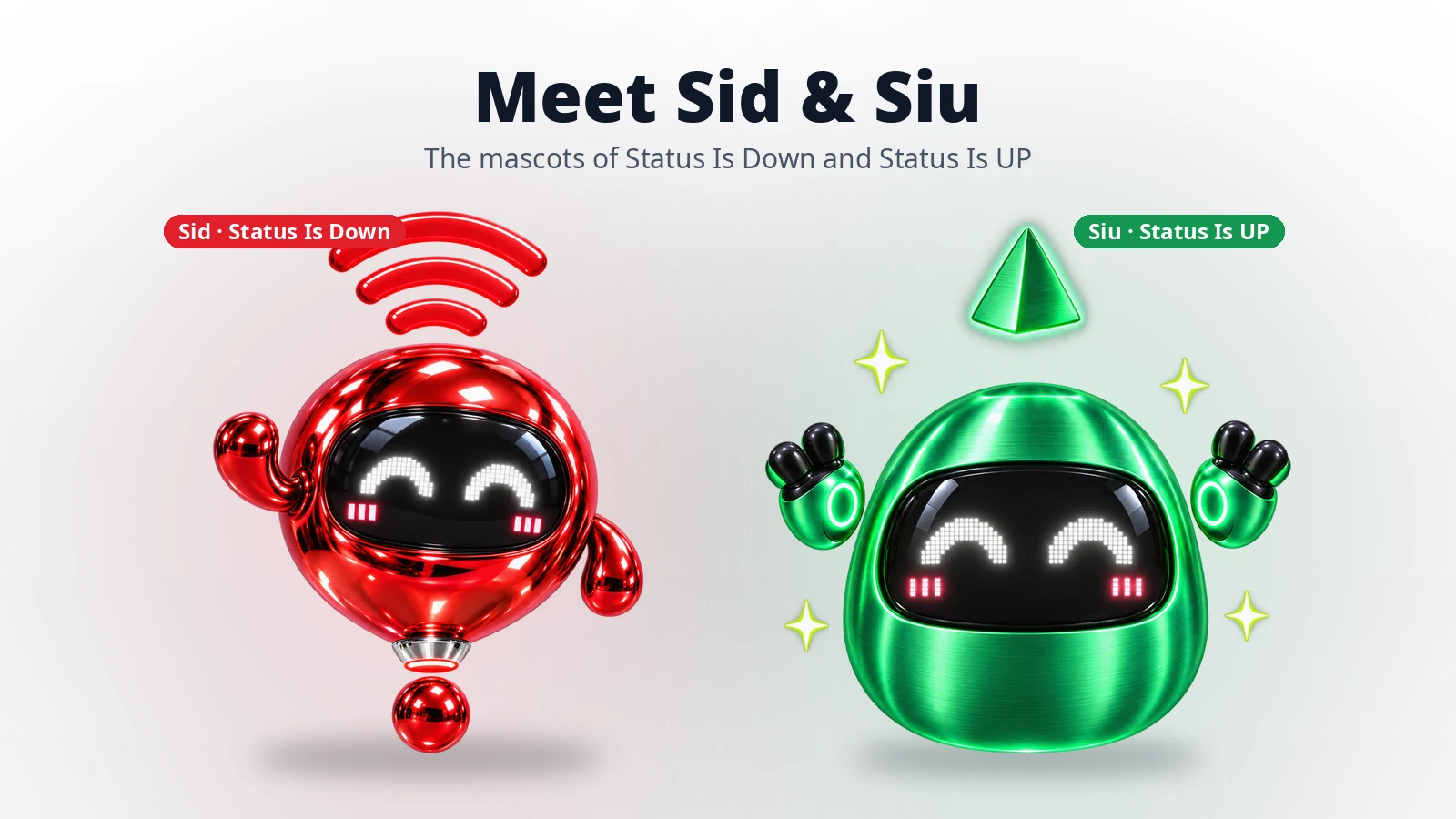
Status Is Down has a new face. Meet Sid, the mascot of Status Is Down, and Siu, his counterpart at our sister platform, Status Is UP. Sid now greets you on statusisdown.com, starts conversations in our chat assistant, asks whether a service is down for you and appears in your outage alerts. Siu does a similar job for website owners on statusisup.com. Both of them also star in a new daily puzzle in the Status Is Down and Status Is UP apps for iPhone and Android. You can send them to friends as stickers and get to know them on their own fan pages. From Wednesday, 18 November, you can also follow them in a short animated series.
People usually check whether a service is down when something has already gone wrong. We wanted that moment to feel a little friendlier, and we wanted the situation to be clear at a glance. A character can help with both, because a face can show worry, calm or relief more quickly than a status label.
Two shapes with opposite meanings
Sid and Siu are mirror images. Sid’s body is wide at the top and narrows towards the bottom, like an arrow pointing down. A metallic orb floats beneath him, so the two together look like an exclamation mark, the sign that something needs attention. Siu is the opposite. He is wide at the base and narrow at the top, like an arrow pointing up, and a small pyramid floats above his head.
Both have a dark visor with LED eyes, which lets them show a wide range of moods. Sid looks relaxed when everything is working, curious when something seems off and melted when a service is clearly down. Siu grows more cheerful as a website gets closer to launch. On statusisup.com, Siu appears in a matte paper style that matches the site’s illustrations. Everywhere else, he keeps his metallic finish.
Brand characters have a long track record in advertising. A System1 study of campaign data from the UK’s Institute of Practitioners in Advertising found that campaigns featuring a brand character were 37% more likely to increase market share than campaigns without one, as reported by Adweek. Our aim is simpler: to make outage information easier to read and easier to remember.
Where you’ll meet Sid on Status Is Down
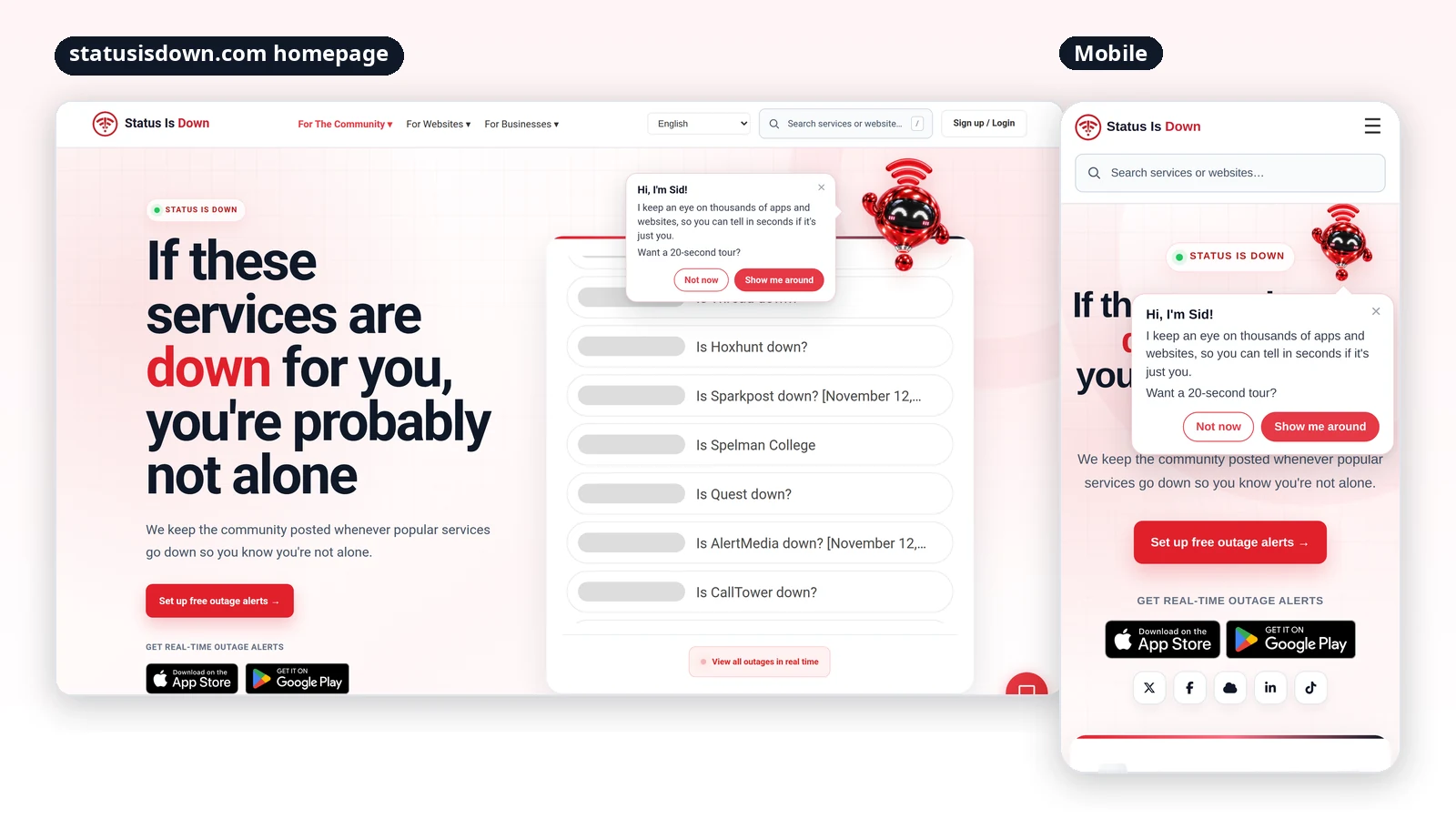
On the homepage. On your first visit to statusisdown.com, Sid floats in beside the live outage list and introduces himself. If you accept his short tour, he points out five things: the live outage reports, the search box for checking any service, free outage alerts, the Status Is Down app and the chat. If you choose “Not now”, he steps aside.
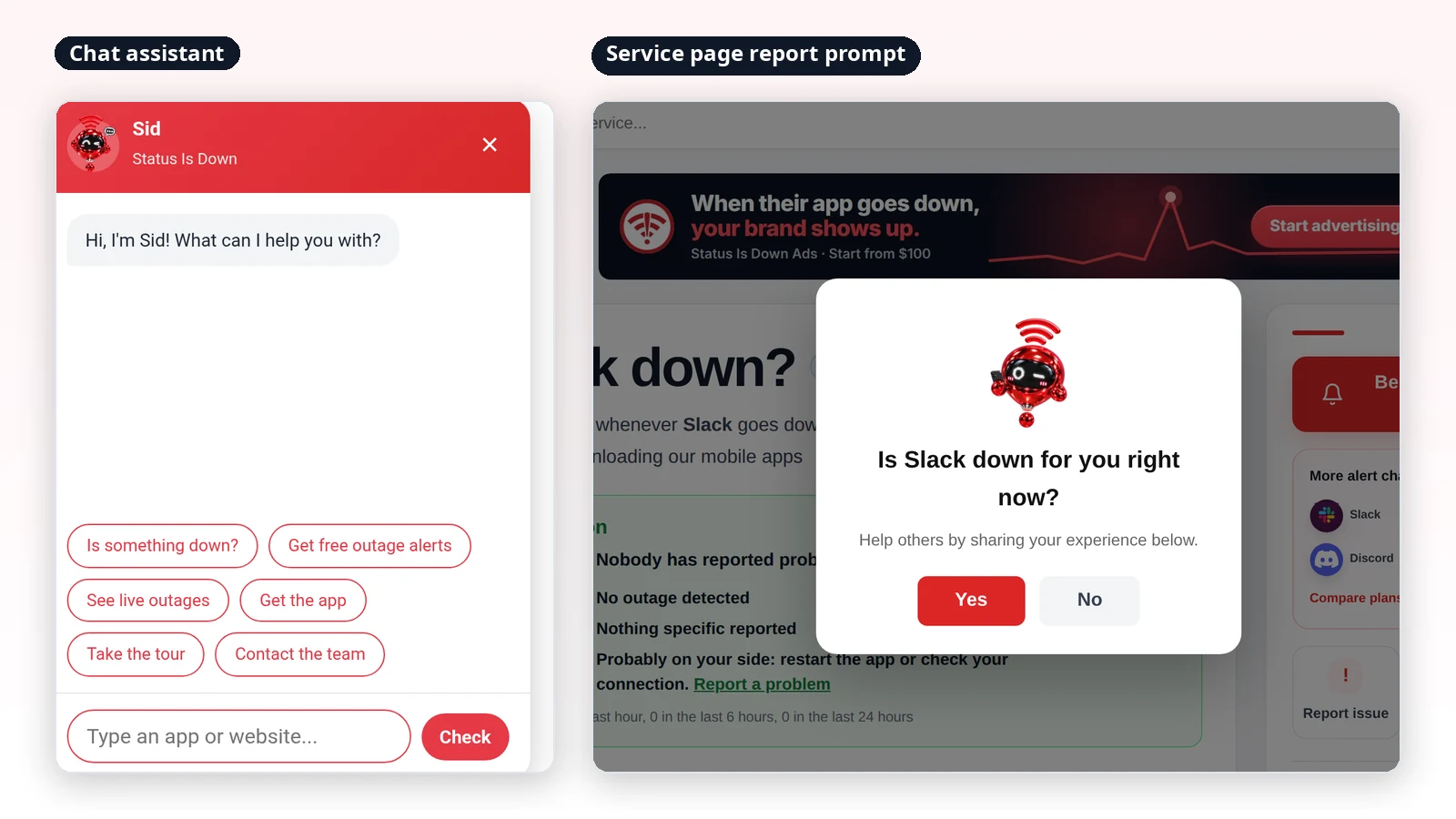
In the chat. Sid is now the face of the chat assistant on every page of the site. Tap him to check whether an app or website is down, set up free outage alerts, see live outages, get the app, take the tour or contact the team. On some pages, he may say hello first and offer to help you check whether something is down.
When you report a problem. On service and website pages, Sid appears in the question “Is [service] down for you right now?”. Your Yes or No answer still feeds the community reports exactly as before. Website pages now use the same prompt design as service pages.
We set one firm rule for Sid: there is never more than one of him on the screen. When the report prompt opens, the chat button steps aside, and on the homepage the guide and the chat button take turns. His movements are subtle, and he stays still if your device is set to reduce motion. His greetings and tour are available in all 20 languages the site supports, including Arabic, which reads right to left.
Sid in your outage alerts
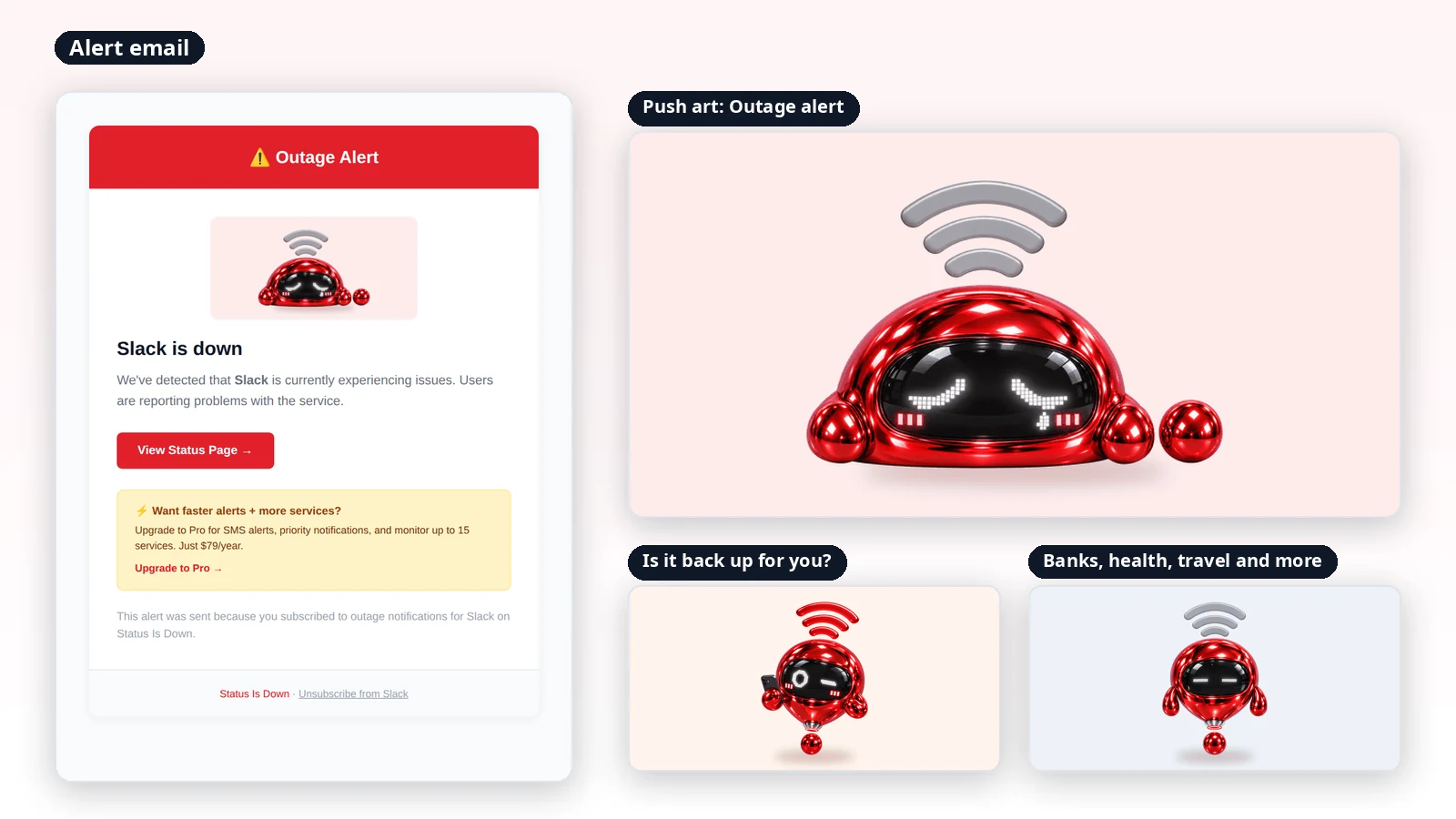
Outage alerts now come with Sid too. Push notifications and alert emails include an illustration that matches the situation. For most services, Sid appears melted to show that something is down. For services where an outage can have serious consequences, such as banking, payments, health, government services, energy, telecoms and travel, he stays composed. When we follow up to ask whether a service is back up for you, he appears with a curious look.
The illustrations appear in notifications on Android and, with the latest Status Is Down app update, on iPhone. Alert emails show Sid in any email app that displays images.
Siu on Status Is UP
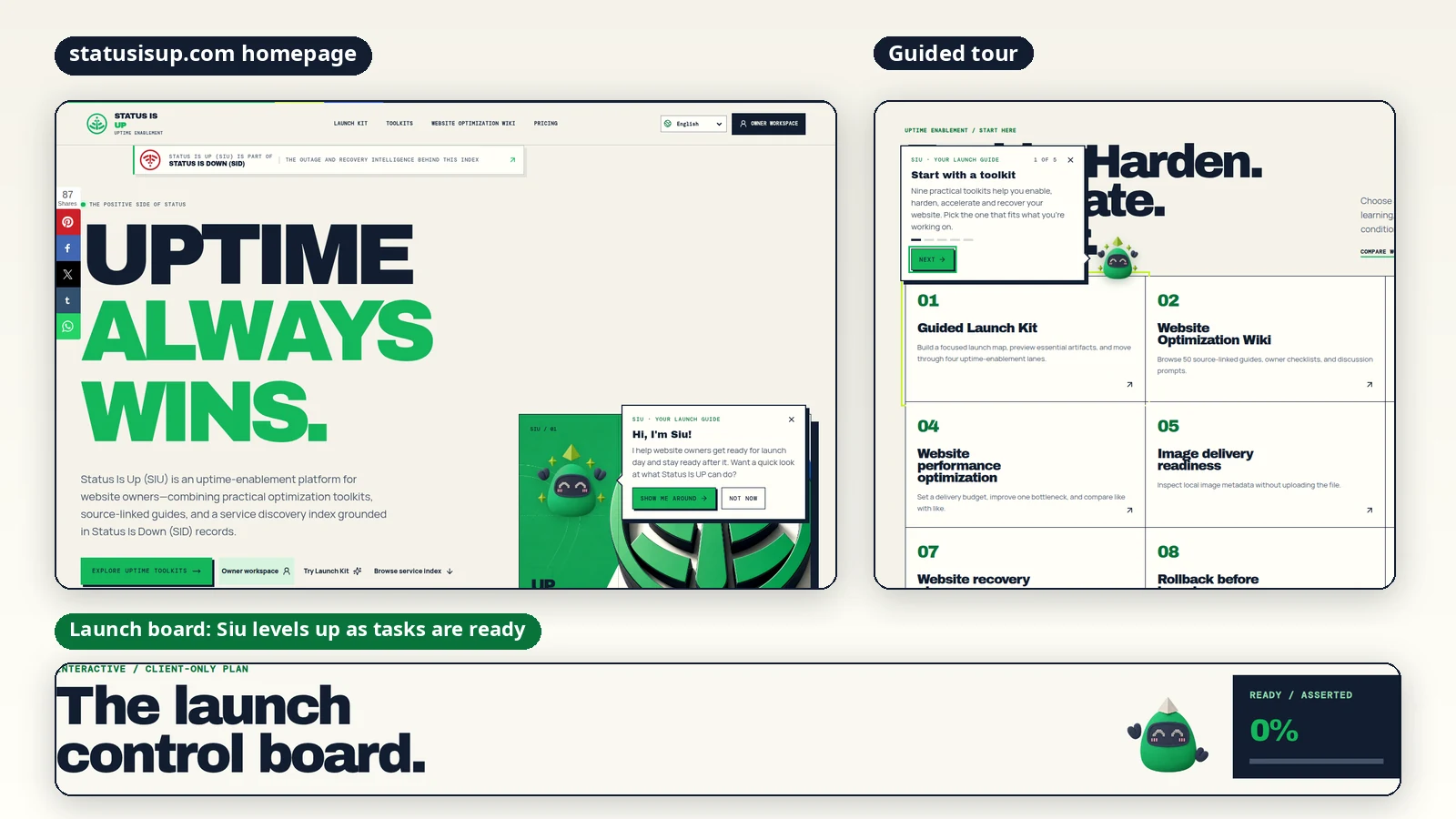
On statusisup.com, Siu sits in the homepage hero. First-time visitors get a short greeting (“Hi, I’m Siu!”) and the offer of a quick tour of the site’s toolkits, the launch board, the Status Is UP app, the service index, and the readiness and wiki guides. As you scroll down, Siu moves to the corner of the screen, and he comes back when you return to the top. The same one-mascot rule applies, so you will only ever see one Siu at a time.
Siu also follows your progress on the website launch checklist. As you mark tasks ready, he moves up through five stages, from a resting pose at the start to a full cheer, with sparkles, when every task is ready.
New in the apps: one puzzle a day
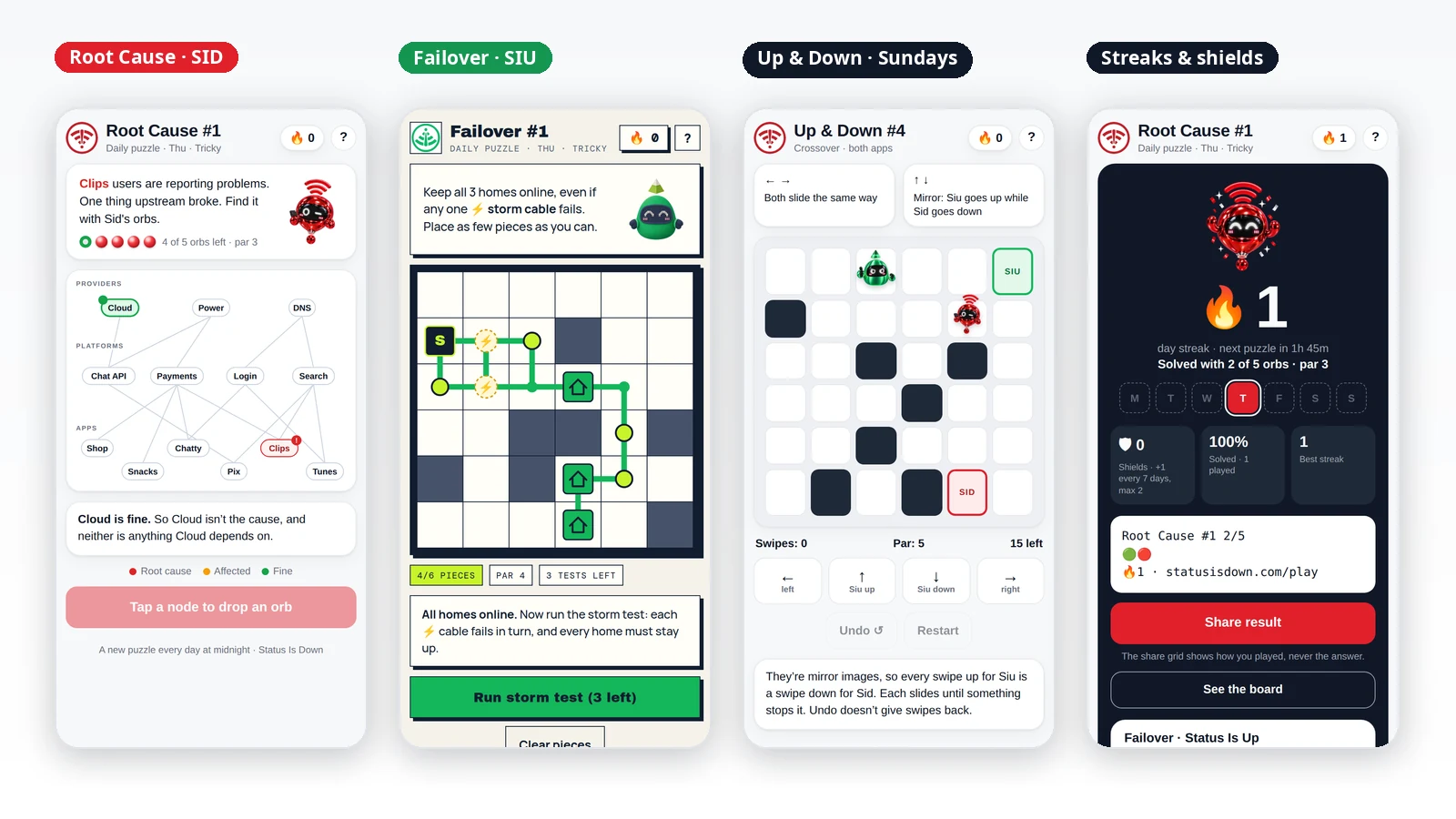
The Status Is Down and Status Is UP apps for iPhone and Android now include a daily puzzle. Each puzzle takes a few minutes, and each one turns what the product does into a game.
Root Cause (Status Is Down app, Monday to Saturday). A few apps on a small dependency map are getting crowd reports, and one provider or platform upstream has failed. Drop Sid’s orbs on the map to find it. A red result means you have found the root cause. Amber means that part is affected, so the cause is something it depends on. Green means it is fine, which also rules out everything it depends on. You have five orbs.
Failover (Status Is UP app, Monday to Saturday). Lay cable from Siu’s server to every home on the grid. Any one storm cable might fail, so you need a second path that keeps every home online whichever cable breaks. When you’re ready, run the storm test. You get three tries.
Up & Down (both apps, every Sunday). Sid and Siu share one grid and one set of swipes. Left and right move both of them the same way, but up and down are mirrored, so Siu goes up while Sid goes down. Each one slides until it reaches the edge, a block or the other character. Your goal is to land both on their pads at the same time.
Every puzzle has a par, which is the fewest orbs, cable pieces or swipes that will always do the job. Each puzzle is checked by a solver before release, so every one has a solution and a fair par.
Finish the day’s puzzle, solved or not, to keep your streak going. Every seven days in a row earns a streak shield, and you can hold up to two. A shield covers a day you miss. Building some slack into streaks is backed by research: Duolingo found that letting learners hold up to two Streak Freezes increased its daily active learners, according to the company’s blog.
When you finish, you can share your result without giving the answer away. You don’t need an account to play, and your progress stays on your phone. You can also play in a browser at statusisdown.com/play and statusisup.com/play.


Send Sid and Siu as stickers
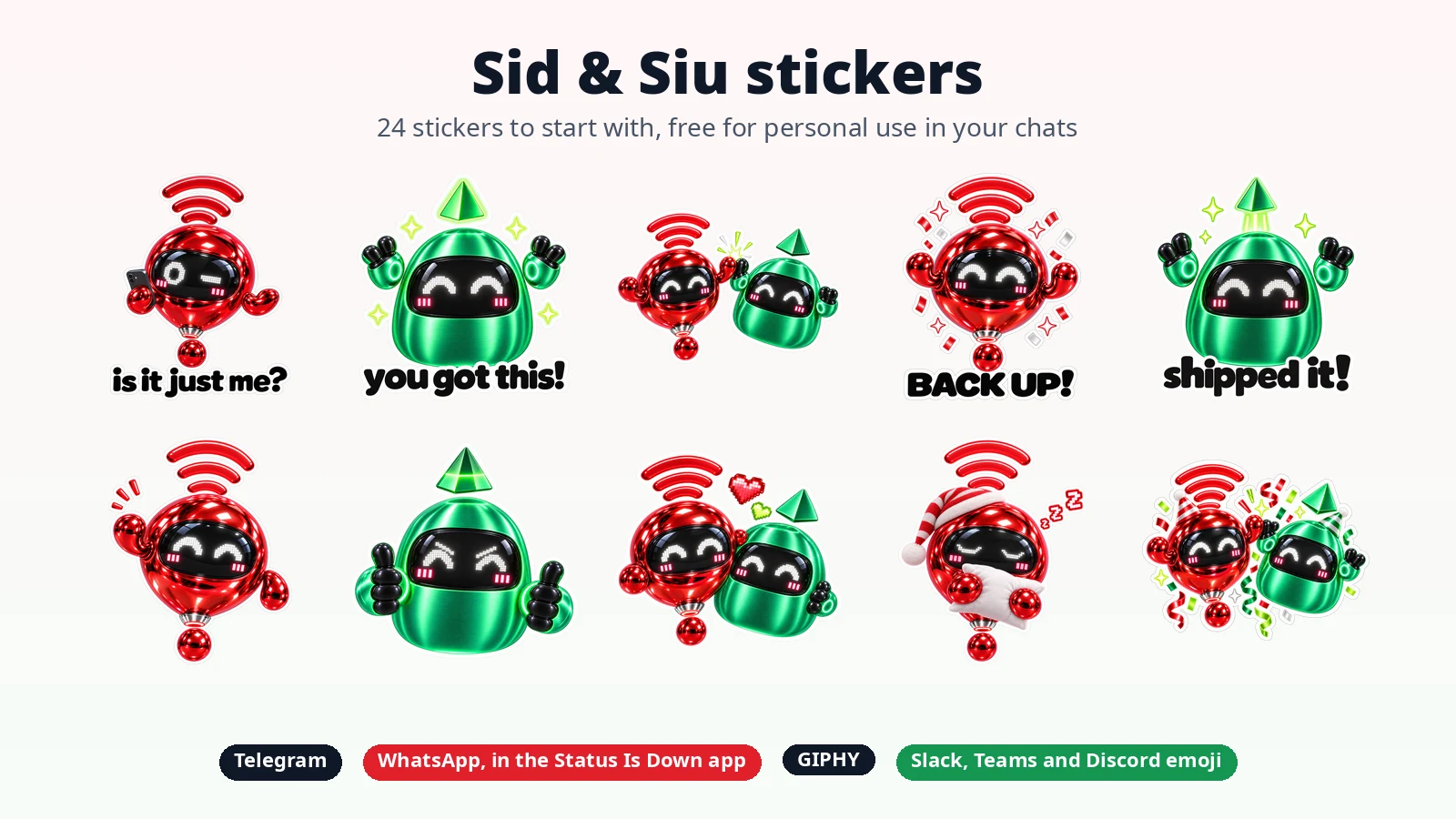
There are 24 Sid and Siu stickers to start with: 13 of Sid, 7 of Siu and 4 of the two together. They cover everyday moments, from “Is it just me?” and “Back up!” to high fives, hugs and good night.
- Telegram: add the whole pack in one tap at t.me/addstickers/StatusIsDown.
- WhatsApp: in the Status Is Down app for iPhone or Android, go to Settings, then Stickers, and tap Add to WhatsApp.
- GIPHY: all 24 stickers are on our GIPHY channel.
- Slack, Microsoft Teams and Discord: download the emoji pack from statusisdown.com/stickers, then ask your workspace admin to add the stickers as custom emoji. The same page also has high-resolution PNGs of all 24.
The stickers are free for personal use in your chats.
Get to know them on their fan pages
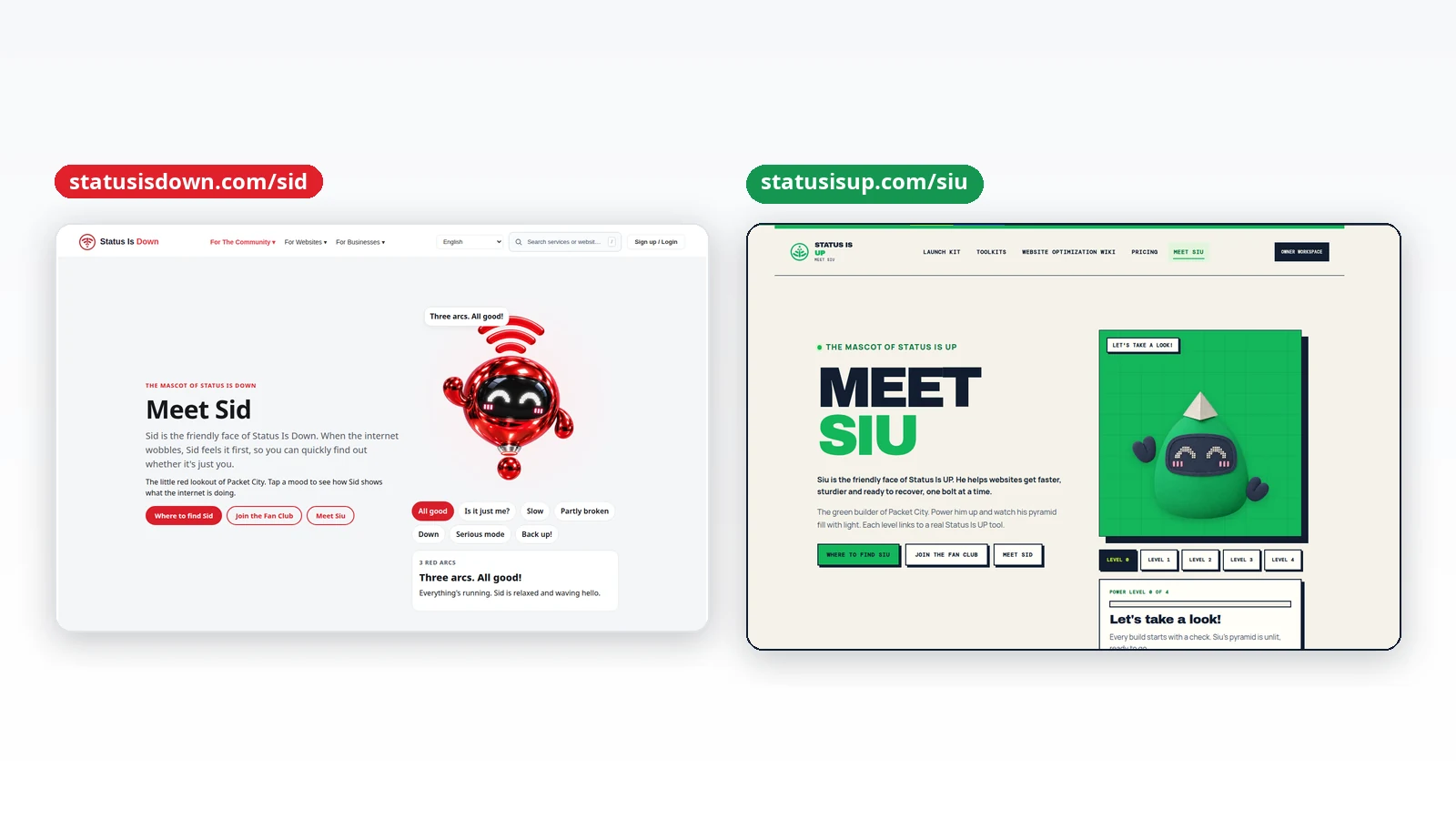
Sid and Siu now each have a page of their own. At statusisdown.com/sid, you can meet Sid, the little red lookout of Packet City. He feels it first when the internet wobbles, and his three arcs work like the town’s weather report: three red arcs mean all is good, fewer red arcs mean things are slow or partly broken, and all grey means down. Turn his mood dial to see all seven of his moods, from “All good” to “Back up!”.
At statusisup.com/siu, you can meet Siu, the green builder of Packet City. He helps websites get faster, sturdier and ready to recover. Power him up and his pyramid fills with light, one level at a time, with a link to a matching Status Is UP toolkit at each level.
Both pages show where to find the two characters, from the apps and stickers to social media, and both have a short quiz: are you more Sid or Siu? Sid’s page is also home to the Sid & Siu Fan Club, a board where fans can say hi, share a favourite sticker or suggest what the two should get up to next. You don’t need an account. Just pick a nickname and say where you’re writing from. Posts are checked for spam, and links and contact details aren’t allowed.
Coming soon: Sid & Siu, the series
Sid and Siu are also getting their own short animated series, set in Packet City. Five short clips introduce the characters from Wednesday, 18 November, to Sunday, 22 November. Episode 1, “Welcome to Packet City”, premieres on Monday, 23 November, at 2 PM ET.
You can follow the series on Status Is Down’s Facebook, TikTok and X accounts, and on Status Is UP’s X account. The episodes are made with AI video tools, using our official character designs.
Frequently asked questions
Does Sid change how outage reports work?
No. The report prompt asks the same question, and your answer is counted in the same way. Sid only changes how the prompt looks.
Can I skip Sid’s tour?
Yes. Choose “Not now” when he introduces himself, or close the tour at any step.
Do I need an account to play the daily puzzle?
No. The puzzle works without an account, and your streak is saved on your device.
Does sharing my result spoil the puzzle for others?
No. The shared result shows how you did, not the solution.
What happens if I miss a day?
If you have a streak shield, it covers the missed day for you. Without a shield, your streak starts again from the next puzzle you finish.
How do I add the stickers to WhatsApp?
Open the Status Is Down app on your iPhone or Android phone, go to Settings, then Stickers, and tap Add to WhatsApp. On Telegram, open t.me/addstickers/StatusIsDown and add the pack.
Do I need an account to post in the Fan Club?
No. Pick a nickname, say where you’re writing from and write your message. Please don’t use the board to report outages. The service pages on statusisdown.com are the place for that.
Say hello to Sid and Siu
Visit statusisdown.com to meet Sid, or statusisup.com to meet Siu. Their fan pages are at statusisdown.com/sid and statusisup.com/siu, and the stickers are at statusisdown.com/stickers. To play today’s puzzle, download Status Is Down for iPhone or Android, and Status Is UP for iPhone or Android.
For more platform announcements and tools, explore New on SID.
Apple, iPhone and the Apple logo are trademarks of Apple Inc., registered in the U.S. and other countries. App Store is a service mark of Apple Inc. Google Play and the Google Play logo are trademarks of Google LLC. WhatsApp, Telegram, GIPHY, Slack, Microsoft Teams, Discord, Facebook, TikTok and X are trademarks of their respective owners. Service names shown in screenshots identify services that people check on Status Is Down; Status Is Down isn’t affiliated with them.
Images: Status Is Down and Status Is UP