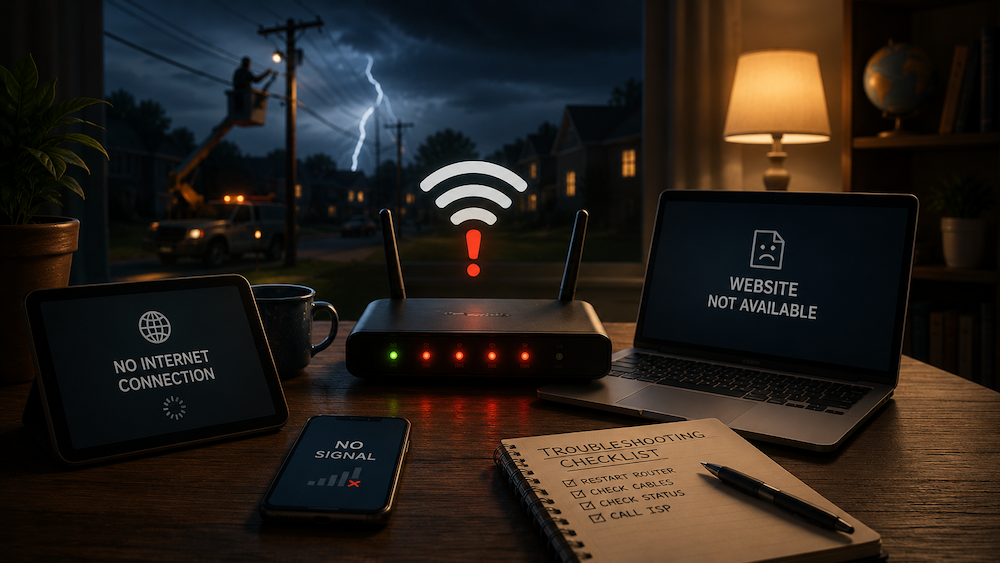
10 common reasons your internet goes down—and the quick fixes to try first
One minute you’re halfway through a video call, a game, or the final episode you’ve been saving all week. The next minute, you’re staring at a spinning wheel and wondering whether the problem is your provider, your router, or the universe itself.
The truth is, internet disruptions are incredibly common, and the cause isn’t always what people expect. While it’s easy to blame your ISP, plenty of outages actually begin much closer to home. Since 2024, Status Is Down has tracked more than 3,400 reports involving internet and telecommunications services, and the data shows that the internet is really just a fragile chain. If even one link snaps, you’re suddenly offline.
Before you spend an hour on hold with customer support, here are some of the most common culprits, why they happen, and what you can do about them.
1. Your Router Is Secretly Overwhelmed
Routers work nonstop, and like any electronics, they occasionally run into glitches.
The Problem: Constant traffic from phones, laptops, smart TVs, and gaming consoles can eventually cause software hiccups, memory issues, or temporary freezes.
The Quick Fix: Unplug the power cable and wait about 30 seconds before plugging it back in. Giving the router time to fully power down allows it to start fresh. Sometimes the oldest troubleshooting trick really does work.
2. One Loose Cable Can Ruin Your Day
Loose or damaged cables are one of the most overlooked causes of internet problems. Pets running behind desks, vacuum cleaners bumping wall jacks, or simple shifting over time can create surprisingly big headaches.
The Problem: A slightly unplugged modem cable or damaged Ethernet cord can interrupt your connection without triggering any obvious warning signs.
The Quick Fix: Push every cable firmly back into place. It may not feel particularly heroic, but plenty of internet problems have been defeated by a good old-fashioned wiggle.
3. Network Congestion, Also Known as Digital Rush Hour
Heavy traffic can slow your connection even when nothing is technically broken.
The Problem: Major sporting events, streaming premieres, and massive game updates often send millions of people online at the same time. Your connection isn’t necessarily down. It may simply be stuck in digital traffic.
The Quick Fix: Disconnect devices you’re not actively using and, if possible, connect important devices directly to the router with an Ethernet cable.
4. Severe Weather and Fallen Trees
Weather plays a much bigger role than many people realize.
The Problem: Storms, flooding, strong winds, and power outages can damage network infrastructure or knock out equipment miles away from your home.
The Quick Fix: Switch to cellular data to check local updates. If weather is the cause, your best option is usually to stay safe and wait for repair crews to restore service.
5. Fiber Cuts and Physical Infrastructure Damage
Sometimes the problem really is outside your control.
The Problem: Construction accidents can damage underground fiber lines, causing widespread outages. Believe it or not, squirrels have been blamed for internet outages after chewing through cables or turning telecom equipment into unexpected nesting spots.
The Quick Fix: If restarting your equipment doesn’t help, check outage trackers or your provider’s status page. If everyone around you is reporting problems, it’s time to let the technicians do their thing.
6. It’s Not Your Internet, the Website Is Down
Your Wi-Fi may be working perfectly while the app or website you’re trying to use is having a meltdown.
The Problem: Many platforms rely on cloud providers, authentication systems, and shared infrastructure. When one of those systems breaks, dozens of seemingly unrelated apps can fail together.
The Quick Fix: Try opening a completely different website. If Google loads but Spotify doesn’t, chances are your internet is fine and the platform itself is having a rough day. In that case, there’s not much to do except wait for the service to recover.
7. Your Device Is the Real Problem
Sometimes the issue isn’t your connection at all.
The Problem: Phones, laptops, smart TVs, and tablets can develop software glitches, corrupted network settings, or frozen Wi-Fi adapters that make it look like the internet has failed.
The Quick Fix: Restart the device itself. A simple reboot often clears temporary problems and forces a fresh connection.
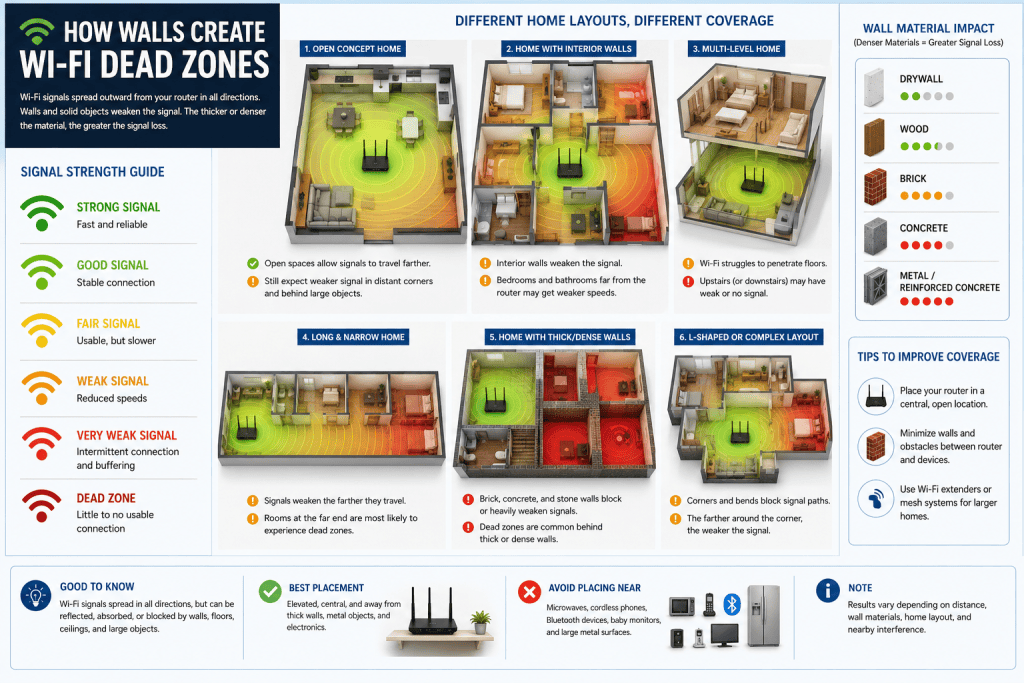
8. Your Home Has Wi-Fi Dead Zones
If your internet only struggles in certain rooms, your house may be the culprit.
The Problem: Thick walls, metal appliances, mirrors, and even large fish tanks can weaken Wi-Fi signals and create areas with poor coverage.
The Quick Fix: Move closer to the router or relocate it to a more open and central location. Persistent dead zones may require a mesh Wi-Fi system.
9. Your Neighbor’s Wi-Fi Is Getting in the Way
Apartment buildings and densely packed neighborhoods can turn Wi-Fi into a battlefield.
The Problem: Too many routers operating on the same channels can interfere with each other, especially on the crowded 2.4GHz band.
The Quick Fix: Switch your router to the 5GHz band or change channels inside your router settings to reduce interference.
10. Your ISP’s DNS Is Having a Bad Day
Sometimes the internet isn’t down. It just can’t find where it’s supposed to go.
The Problem: DNS acts like the internet’s phone book, translating website names into addresses computers understand. When DNS servers become slow or unreliable, websites may stop loading even though your connection is technically still working.
The Quick Fix: Switching to public DNS services like Cloudflare (1.1.1.1) or Google DNS (8.8.8.8) can sometimes solve these issues instantly.
How to Tell What’s Actually Broken
When internet problems strike, start with the things closest to you before assuming your provider is having a bad day. A few simple checks can often narrow down the culprit quickly.
Before calling support, run through this checklist:
✅ Test another device
✅ Restart your router
✅ Check your cables
✅ Switch to mobile data
✅ Check a service-status page, outage tracker, official social media account, or recent user reports to see if others are experiencing the same problem.
If you’ve tried everything and your connection is still completely dead, you’ve officially earned the right to hand the problem to someone else.
Instead of digging through old bills and forgotten emails, check out this list of ISP and telecom customer support contacts includes direct phone numbers, chat links, and official support channels for providers such as Spectrum Internet in the US, Virgin Media in the UK, Rogers in Canada, Telstra in Australia, and many more, making it easier to get help when you need it most.